
LINKEDIN · PROFESSIONAL BRANDING · HEADSHOTS
LinkedIn Headshots St. Louis: How to Make a Strong First Impression
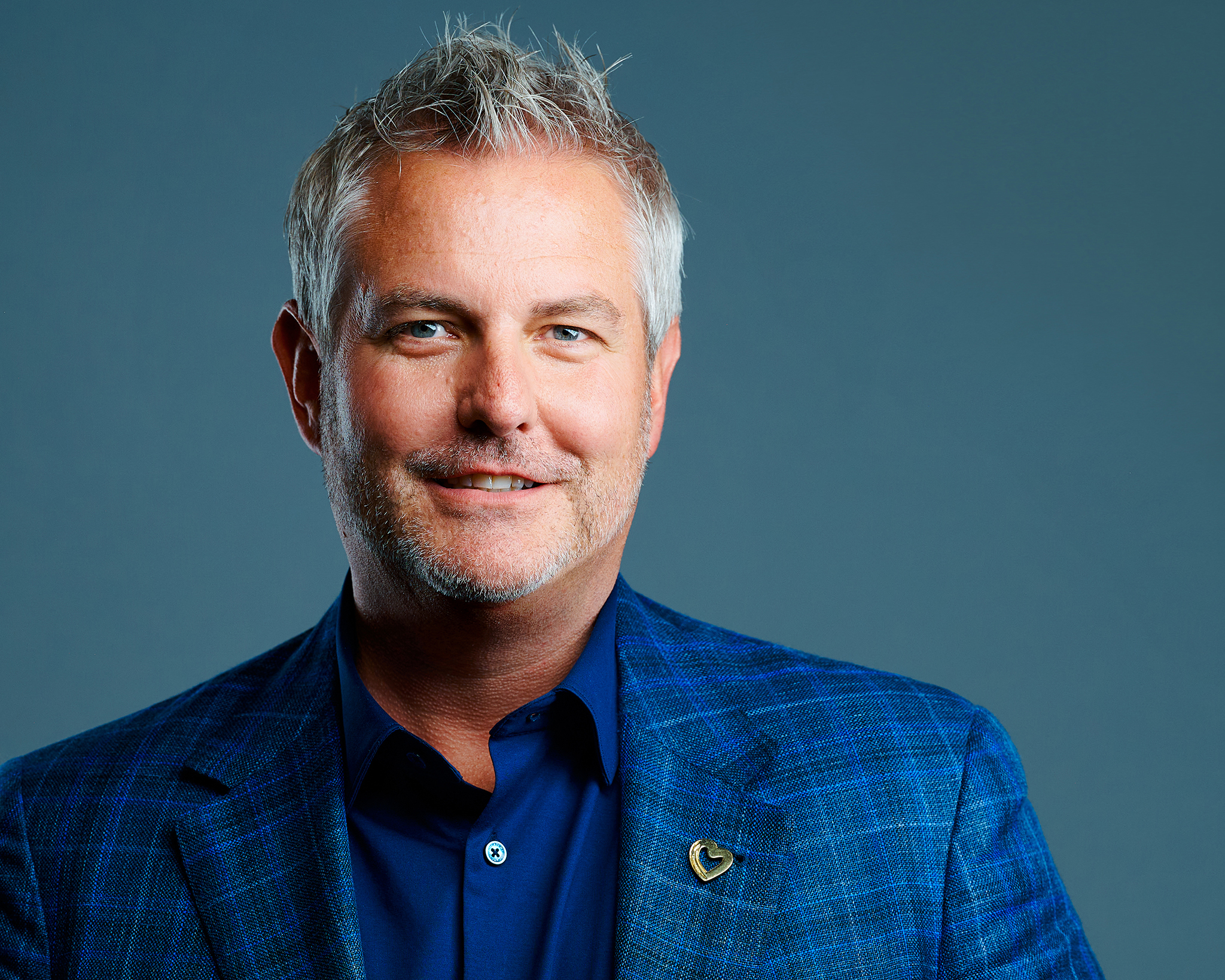
LinkedIn headshots in St. Louis are often seen before a handshake, interview, sales call, meeting, or introduction. Your profile photograph doesn’t need to transform you into someone else. It needs to present the professional version of you clearly and confidently.
LinkedIn itself recommends adding a professional profile photo because it can increase the credibility of your profile and help you stand out. Just as importantly, LinkedIn expects the image to reflect your actual likeness—which is exactly why I believe a professional headshot should still look unmistakably like you.
YOUR DIGITAL FIRST IMPRESSION
Your LinkedIn Photo Has a Tiny Circle and a Big Job
Someone viewing your profile may be a recruiter, prospective employer, client, colleague, referral partner, vendor, conference organizer, or person deciding whether to respond to your message.
Before they read every job title or recommendation, they can already see your photograph.
That’s why the headshot should support the rest of your profile rather than feeling like an afterthought. It is a hilariously small circle with a surprisingly big job.
Your LinkedIn headshot should make the person behind the résumé feel real.
LinkedIn’s own profile guidance recommends a professional profile photo as part of creating a strong profile. You can see their current guidance on creating a good LinkedIn profile.
MAKE THE SMALL IMAGE WORK HARD
7 Ways to Make Your LinkedIn Headshot Work Harder
1. Make Your Face the Focus
LinkedIn displays your profile photograph relatively small, so clean composition and a clear view of your face matter.
2. Look Approachable
Professional doesn’t automatically mean serious. For many careers, confidence combined with approachability creates a stronger first impression.
3. Use an Authentic Expression
A held camera smile can feel forced. Expression coaching lets us create several variations until we find something believable.
4. Dress for Your Actual Profession
An attorney, engineer, realtor, executive, healthcare professional, and creative director don’t need identical clothing to look professional. If your role is leadership-heavy, see executive headshots; if your face is part of your marketing, the realtor headshot page is another useful example of tailoring the image to the job.
5. Keep the Background Secondary
The background should support the portrait, not compete with your expression.
6. Use a Current Photograph
Your headshot should still look like the person someone is going to meet after seeing your LinkedIn profile.
7. Use the Image Beyond LinkedIn
A strong professional headshot can also work on company websites, biographies, speaker profiles, press requests, and other professional platforms. That is also why I photograph a little wider and create options that can live beyond one tiny profile circle.

THE EXPRESSION GETS THE ATTENTION
Professional Does Not Mean “Passport Photo With Better Lighting.”
A professional profile photograph isn’t a driver’s-license photo and it isn’t a test of who can look the most serious.
Depending on your profession, we may create confident, warm, direct, energetic, serious, or approachable variations and compare them.
This is one of the biggest lessons I’ve carried into my own work from Peter Hurley and the Headshot Crew: the photographer’s job isn’t finished when the lighting is correct. The person still needs direction.
Peter has discussed LinkedIn and résumé headshots specifically as important professional first impressions. You can read his LinkedIn and résumé headshot guidance.
For a deeper look at my process, see expression coaching for headshots.
DRESS LIKE YOURSELF AT WORK
What Should You Wear for a LinkedIn Headshot?
Dress for the professional environment you actually operate in—or the role you’re moving toward.
That may mean a suit and tie for one person, a blazer without a tie for another, scrubs or a lab coat for a healthcare professional, or polished business-casual clothing for somebody working in a less formal field.
The goal is not to make everyone look like they work at the same company.
For a complete guide, read what to wear for professional headshots.
DON’T LIMIT A GOOD IMAGE TO ONE WEBSITE
Good Headshot. Use It Everywhere.
A well-created professional headshot should be versatile enough to use on LinkedIn and across other professional platforms. That’s why it can be helpful to create several expressions or wardrobe variations during the session.
- Company website
- Email profile
- Speaker biography
- Professional association directory
- Press request
- Social media
- Marketing material
If you’re building a broader professional presence, read about personal branding headshots.
DOES IT STILL LOOK LIKE YOU?
If Your Headshot Has Survived Three Job Changes, We Should Talk.
A professional photograph should still resemble the person who shows up to the interview or client meeting.
You don’t need a new headshot every year simply because another birthday passed. But a major appearance change, new role, promotion, outdated photograph, or increased professional visibility can be a good reason to update it.
Read how often to update your professional headshot for the seven signs I recommend watching for.
ST. LOUIS LINKEDIN HEADSHOTS
Make the Tiny Circle Work Harder
Christian Berens Photography creates LinkedIn headshots in St. Louis and St. Charles County with professional lighting, guided posing, expression coaching, and polished retouching.
You don’t need to know your best angle or practice a perfect smile before you arrive. I’ll coach you through the session.